

What You Can Use It For
PostgreSQL Database
Store and manage your app data securely
Edge Functions
Trigger backend logic from your frontend
Cloud File Storage
Fast, securely store and deliver files globally
Connect Supabase to Noah
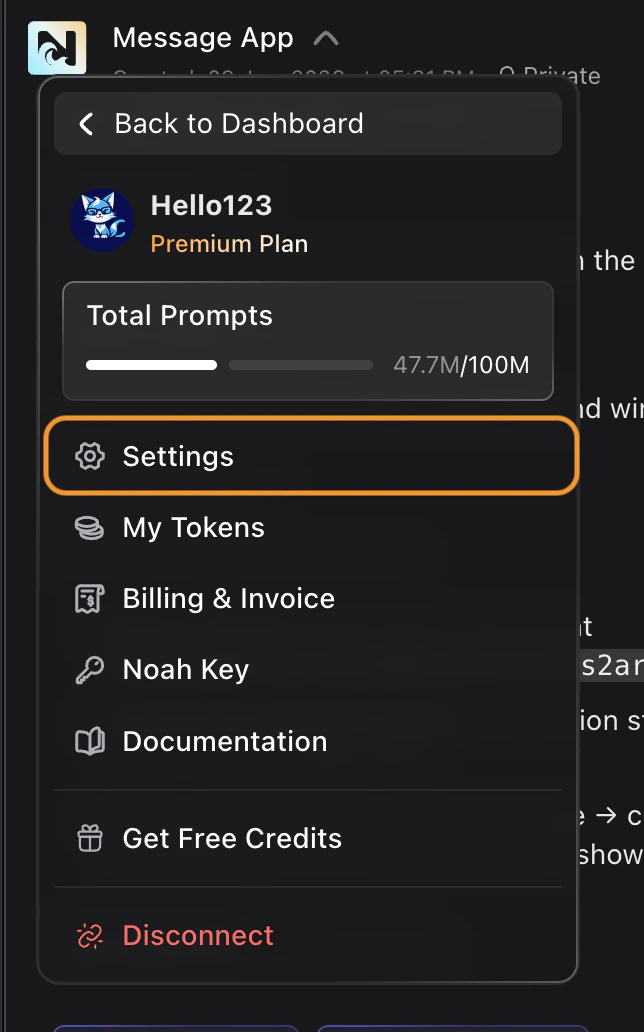
You can connect Supabase from two different places:- From Cloud Tab
- From Settings
Open any project and click the Cloud tab in the toolbar.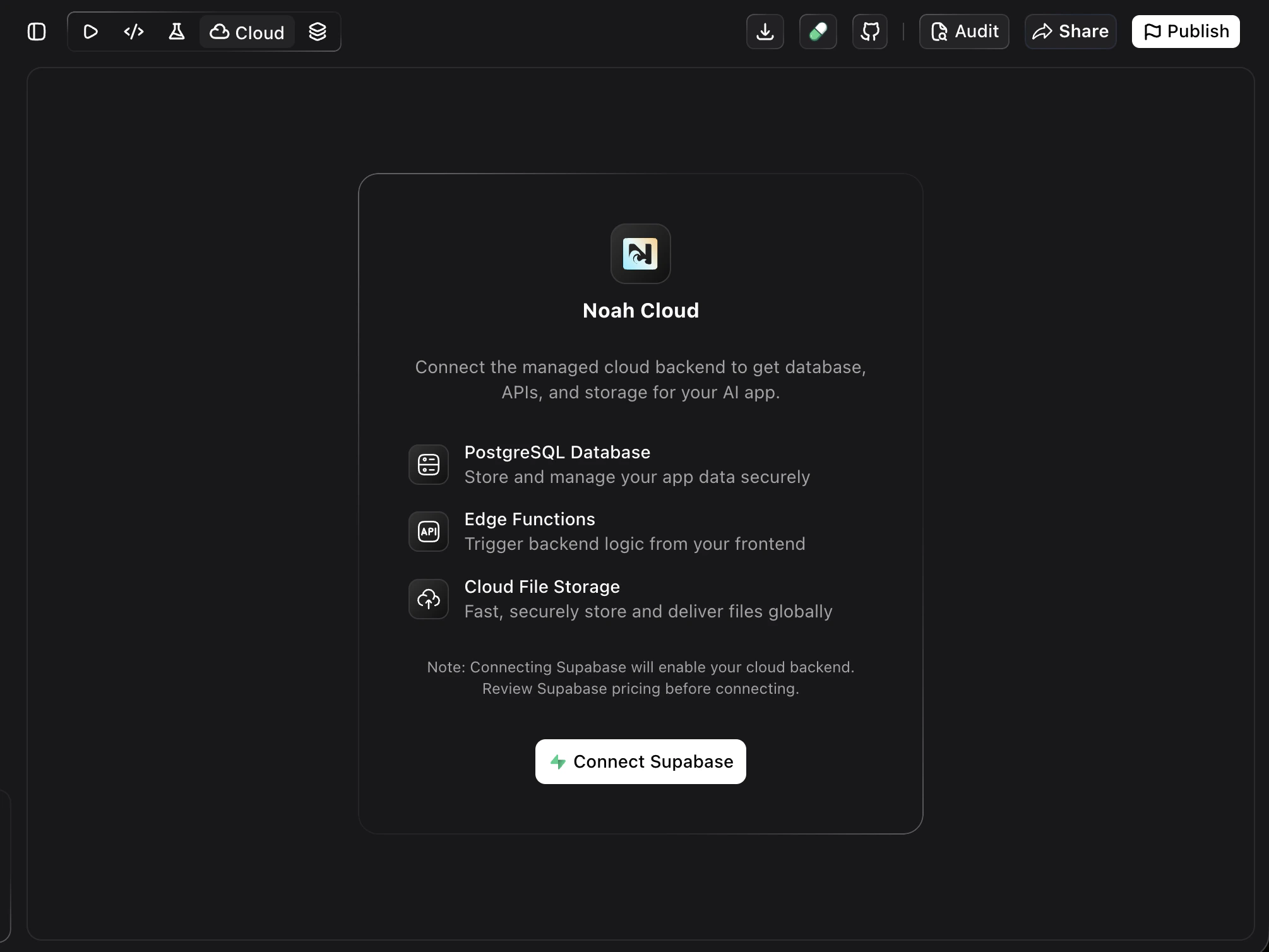
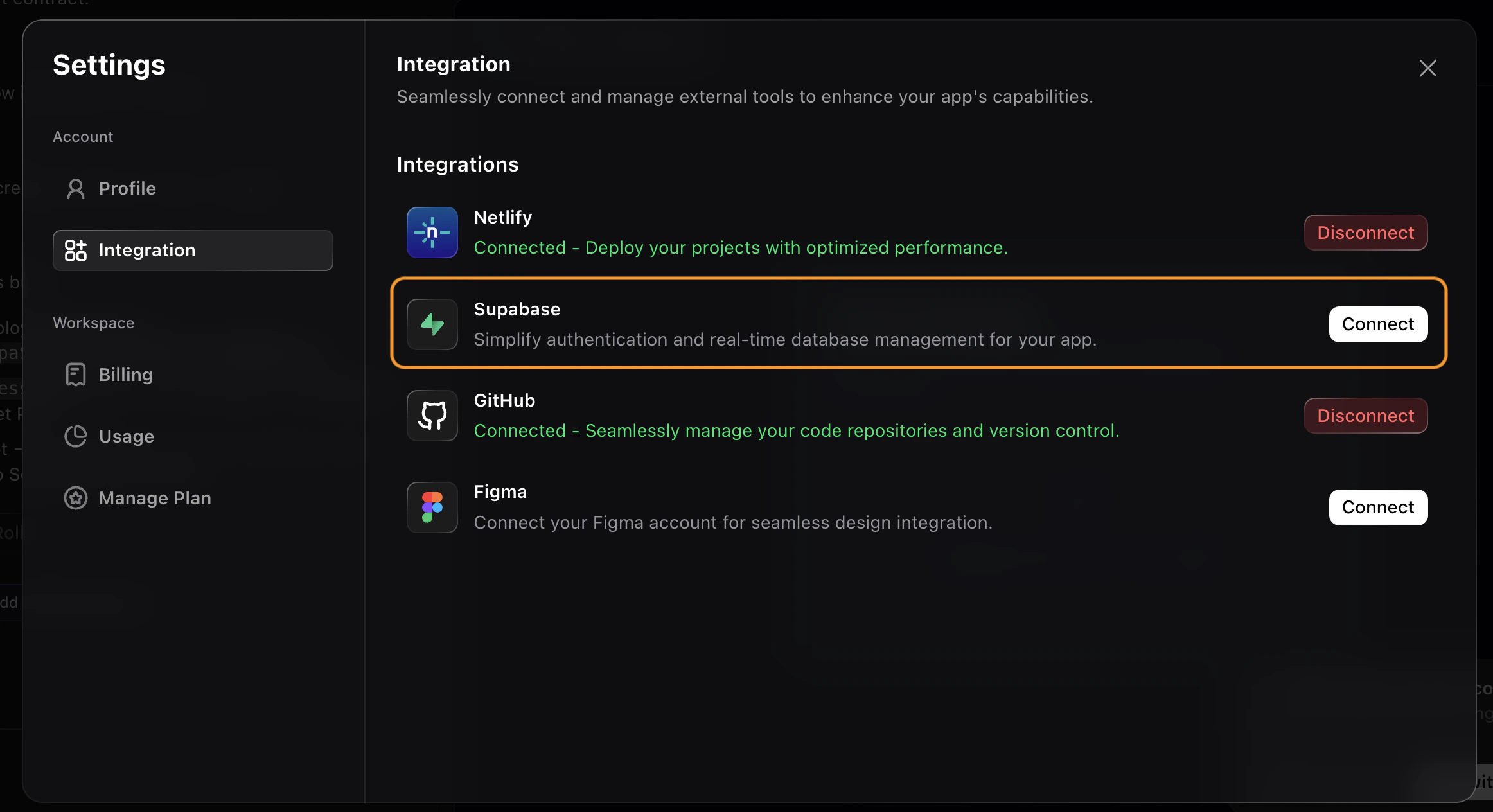
Authorize Your Supabase Account
After clicking Connect, a Supabase authorization page opens. Review the permissions and select the organization you want to grant access to.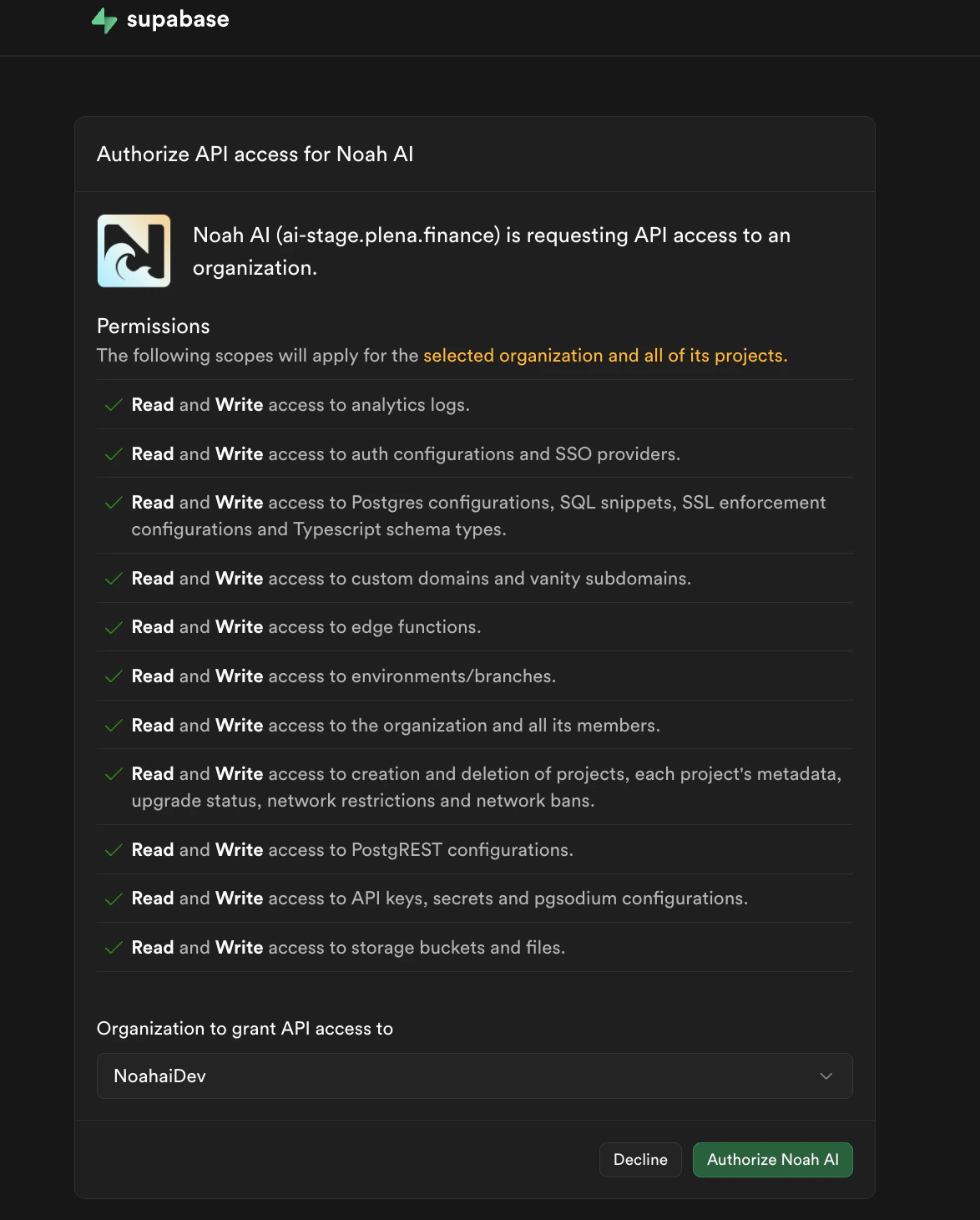
Review Permissions
Supabase shows the scopes Noah AI is requesting — including access to database configurations, edge functions, storage, auth settings, and more.
Select Organization
Choose the Supabase organization you want to connect from the Organization dropdown.
Select or Create a Supabase Project
After authorization, you’ll be prompted to select an existing Supabase project or create a new one.Select an Existing Project
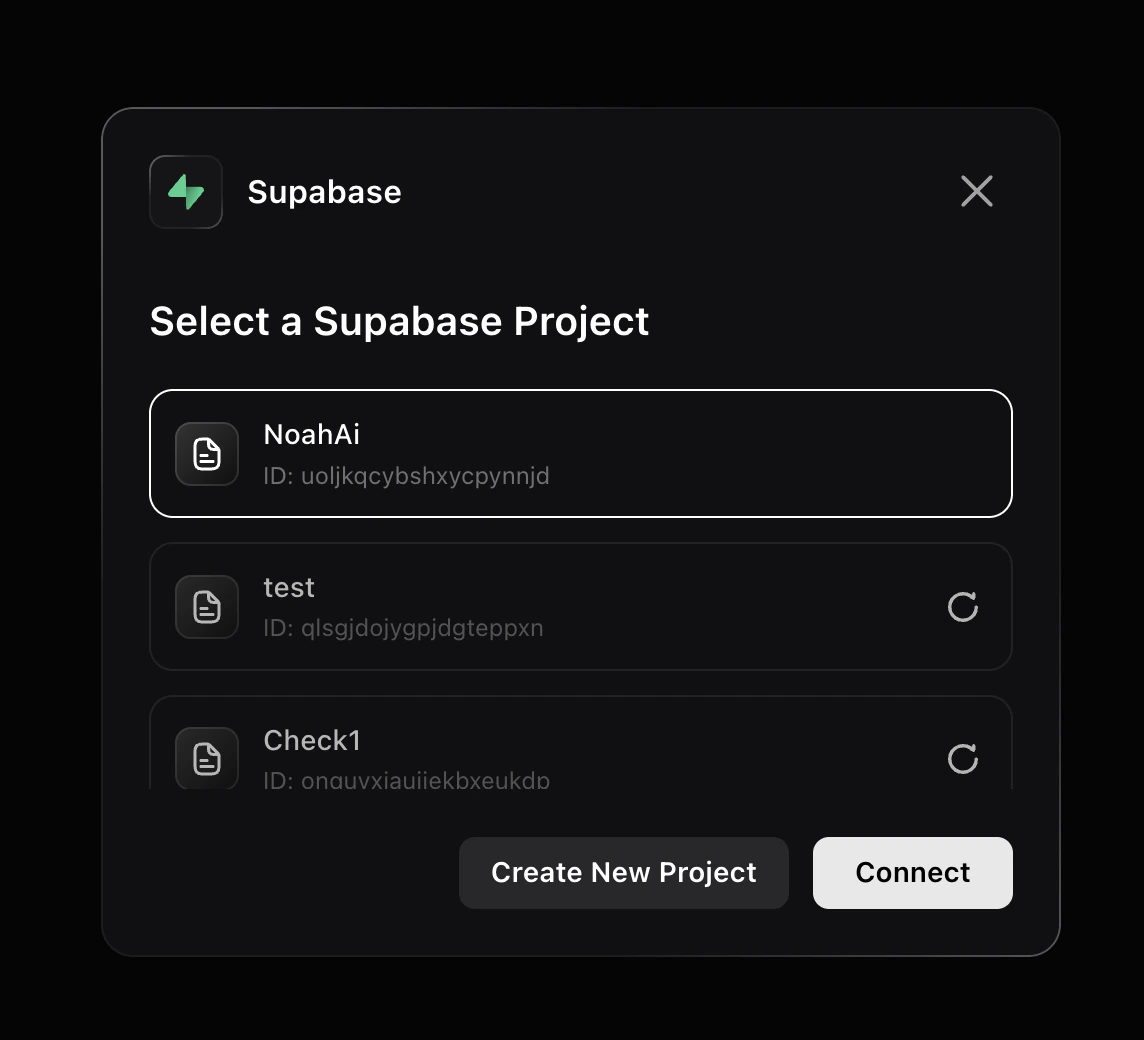
Create a New Project
If you don’t have a project yet, click Create New Project.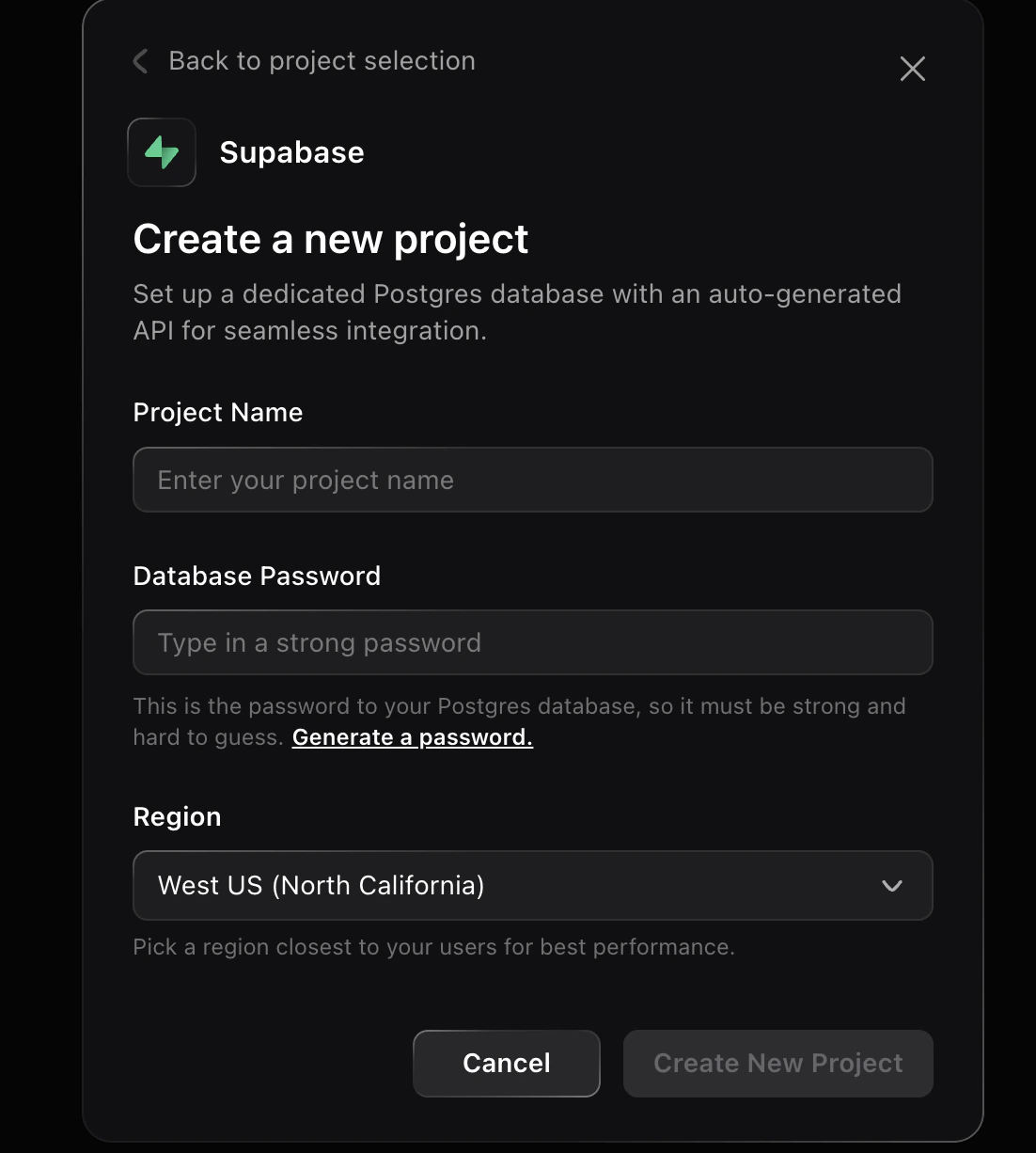
- Project Name — give your project a name
- Database Password — set a strong password for your Postgres database
- Region — pick the region closest to your users for best performance
Prompt Cookbook
Copy-paste these prompts after connecting Supabase to build common features:| Use Case | Prompt |
|---|---|
| User auth with email | Add email/password sign-up and login with a protected dashboard page. |
| Database tables | Create a products table with name, description, price, and image URL. Add a page to list and filter products. |
| File storage | Let users upload profile avatars. Store images in Supabase Storage and display them on the profile page. |
| Edge functions | Create a Supabase Edge Function that sends a welcome email when a new user signs up. |
| Row-level security | Add row-level security so users can only read and edit their own records in the posts table. |
| Social login | Add Google and GitHub login options to the sign-up page using Supabase Auth. |
| Real-time subscriptions | Show a live feed of new messages in the chat room using Supabase real-time subscriptions. |
| Password reset | Add a forgot-password page that sends a reset link via Supabase Auth. |
Tips and Limitations
- OAuth connection, no manual API keys. Noah connects to Supabase through OAuth, so you never need to copy or paste API keys.
- One Supabase project per Noah project. Each Noah project links to a single Supabase project. Use different Noah projects if you need separate databases.
- Free tier limits. The Supabase free plan includes two projects, 500 MB database storage, and 1 GB file storage. Check the Supabase pricing page for current limits.
- Use edge functions for server-side logic. When you need to run code that should not be exposed to the client (like sending emails or calling third-party APIs), ask Noah to create a Supabase Edge Function.
- Supabase dashboard for advanced operations. Row-level security debugging, database extensions, and connection pooling settings are managed directly in the Supabase dashboard.
Want to Disconnect Your Supabase Account?
To disconnect Supabase from Noah:- Click your profile name and go to Settings
- Open the Integration tab
- Find Supabase and click Disconnect
FAQ
Do I need a Supabase account?
Do I need a Supabase account?
Yes. You need a Supabase account to connect. You can sign up for free at supabase.com.
Do I need to copy API keys manually?
Do I need to copy API keys manually?
No. Noah connects through OAuth, so API keys are handled automatically.
Can I use an existing Supabase project?
Can I use an existing Supabase project?
Yes. During setup you can select any existing project from your Supabase organization, or create a new one.
What happens if I disconnect Supabase?
What happens if I disconnect Supabase?
Noah loses access to your Supabase project, but your Supabase data remains untouched. You can reconnect at any time.
Is Supabase free?
Is Supabase free?
Supabase has a free tier with two projects, 500 MB database storage, and 1 GB file storage. Paid plans are available for larger workloads. See Supabase pricing.