

How to Connect
On your bot’s dashboard, expand the Connect Social section. You’ll see the available platforms to connect.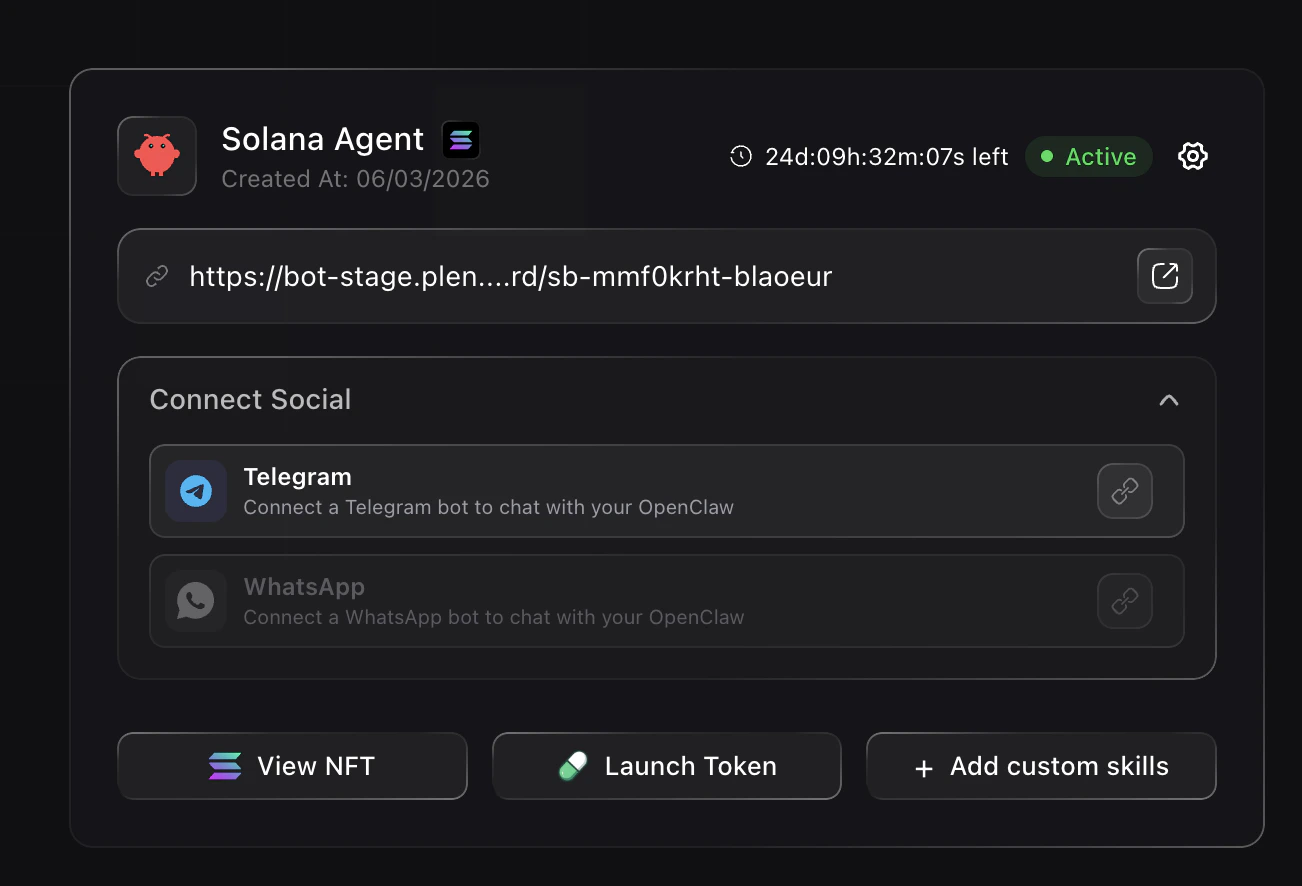
Supported Platforms
- Telegram — Connect a Telegram bot to chat with your OpenClaw
- WhatsApp — Connect a WhatsApp bot to chat with your OpenClaw
Connect Telegram
To connect Telegram, you’ll need a bot token from BotFather: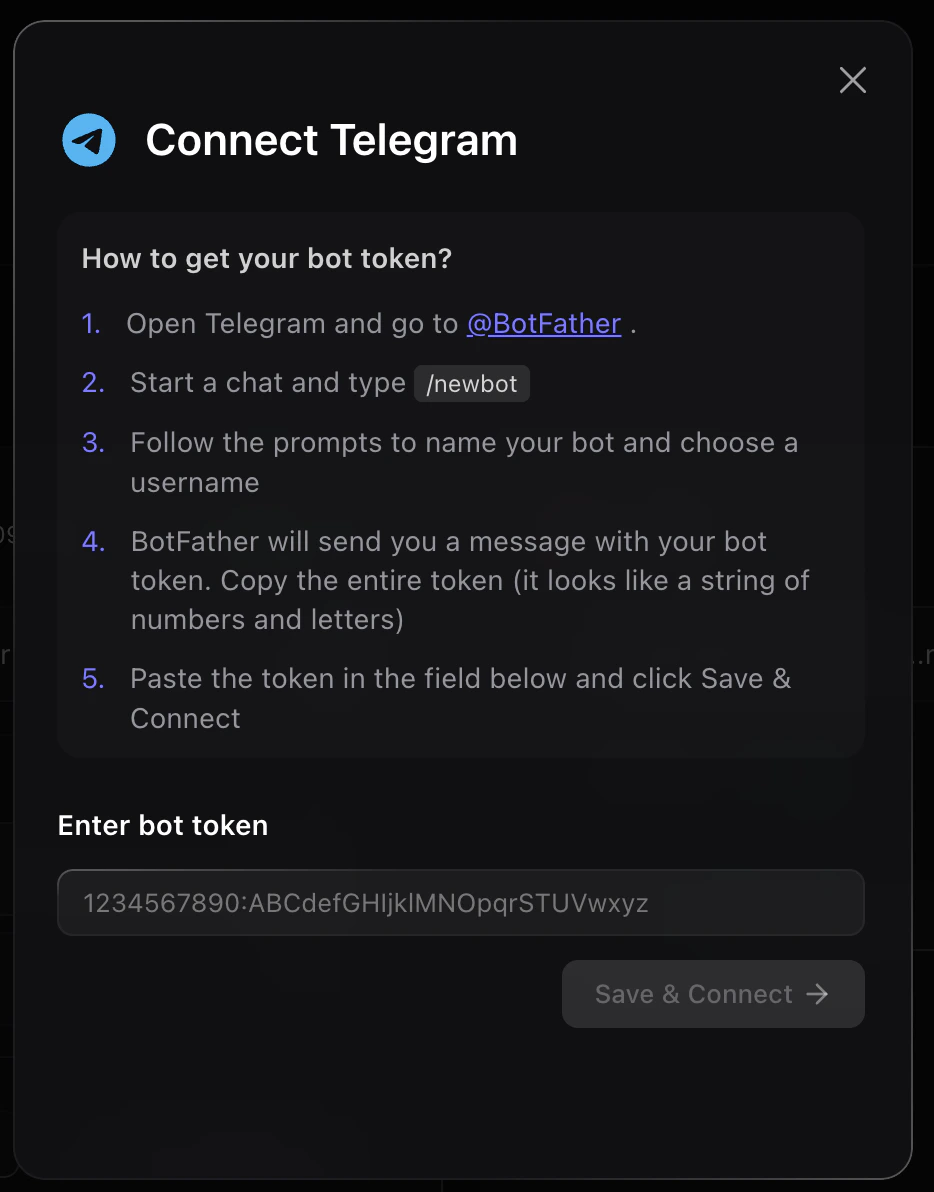
- Open Telegram and go to @BotFather
- Start a chat and type
/newbot - Follow the prompts to name your bot and choose a username
- BotFather will send you a message with your bot token. Copy the entire token
- Paste the token in the field and click Save & Connect
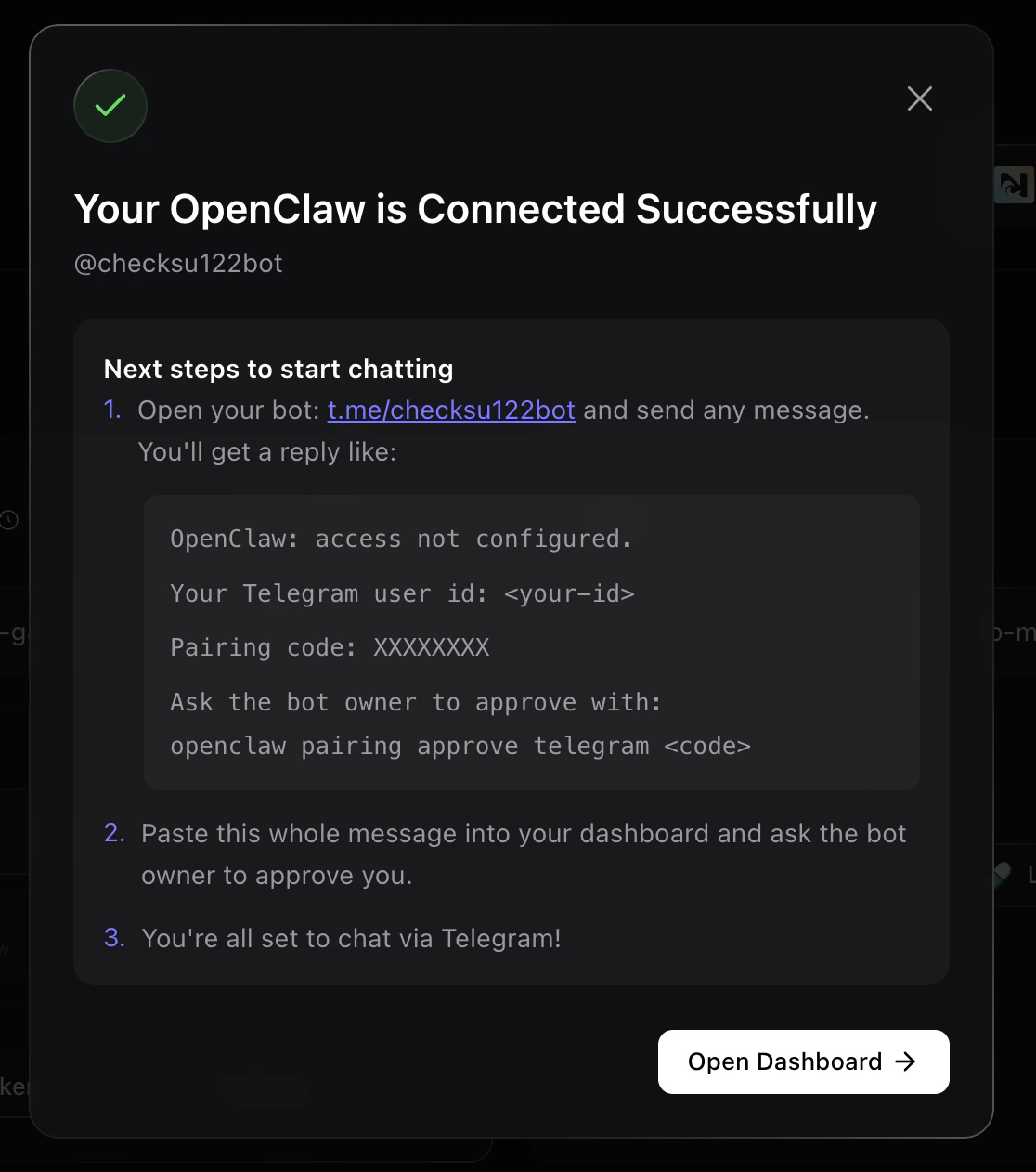
- Open your bot on Telegram and send any message. You’ll get a reply with your Telegram user ID and a pairing code
- Paste the message into your dashboard and ask the bot owner to approve you
- You’re all set to chat via Telegram!
What Your Bot Can Do Once Connected
Once socials are linked, your bot can:- Post and reply from your connected accounts
- Handle community and support tasks
- Manage and moderate your community conversations
- Run growth experiments across channels