

Adding Credits
You can view your current credit balance from the My OpenClaws dashboard. The credits remaining are displayed at the top.
Noah Key & Credits
Click on your credits balance to open the Noah Key modal. Here you can see your API key, current credits, free credits, and total balance. Click + Add Credits to top up.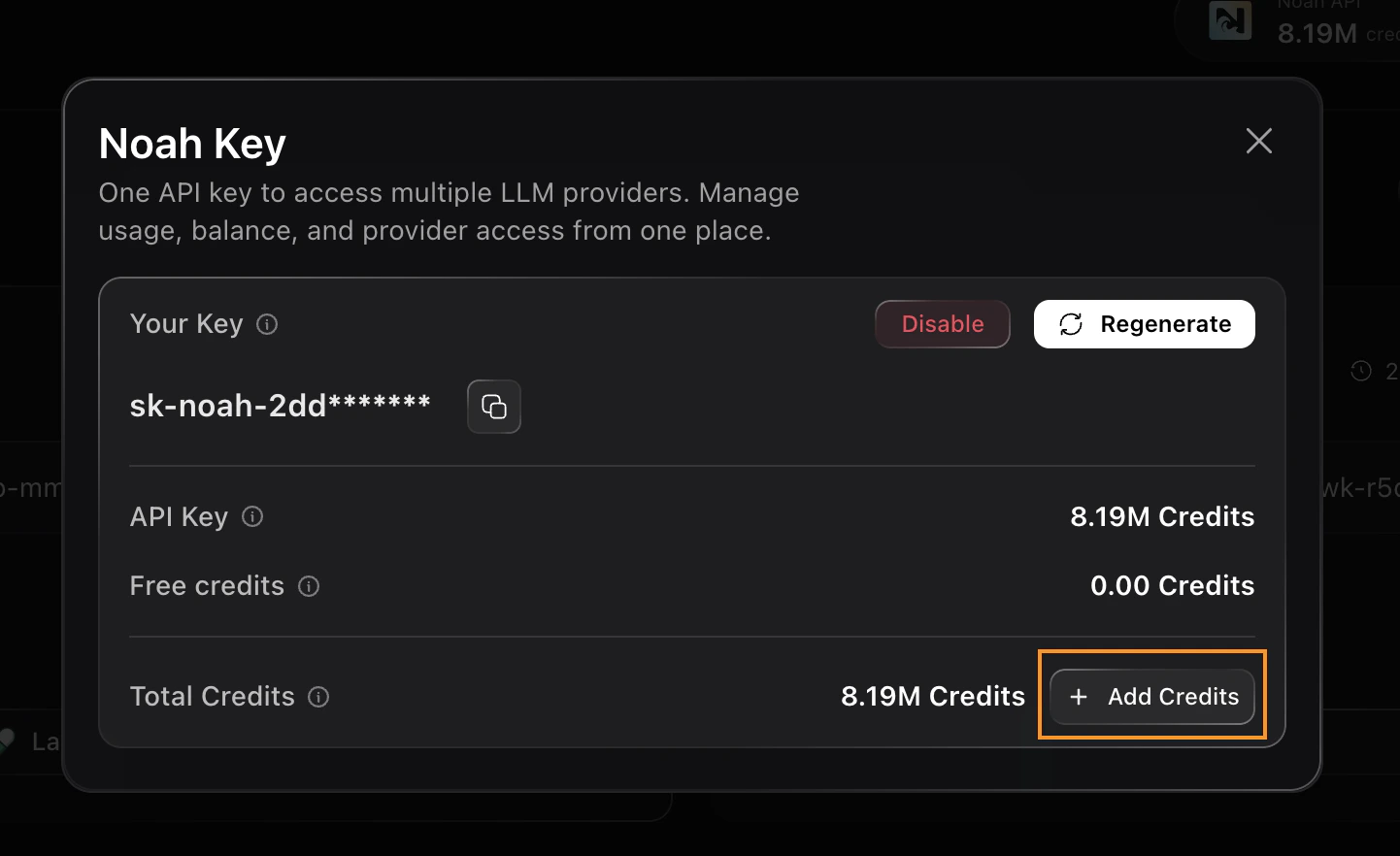
- Makes AI model calls (chat, reasoning, planning)
- Executes on-chain transactions
- Runs skills and tools
- Processes social media interactions
Refer & Earn Credits
You can also earn credits by referring others. Share your referral link — when a friend creates an OpenClaw bot, you earn rewards.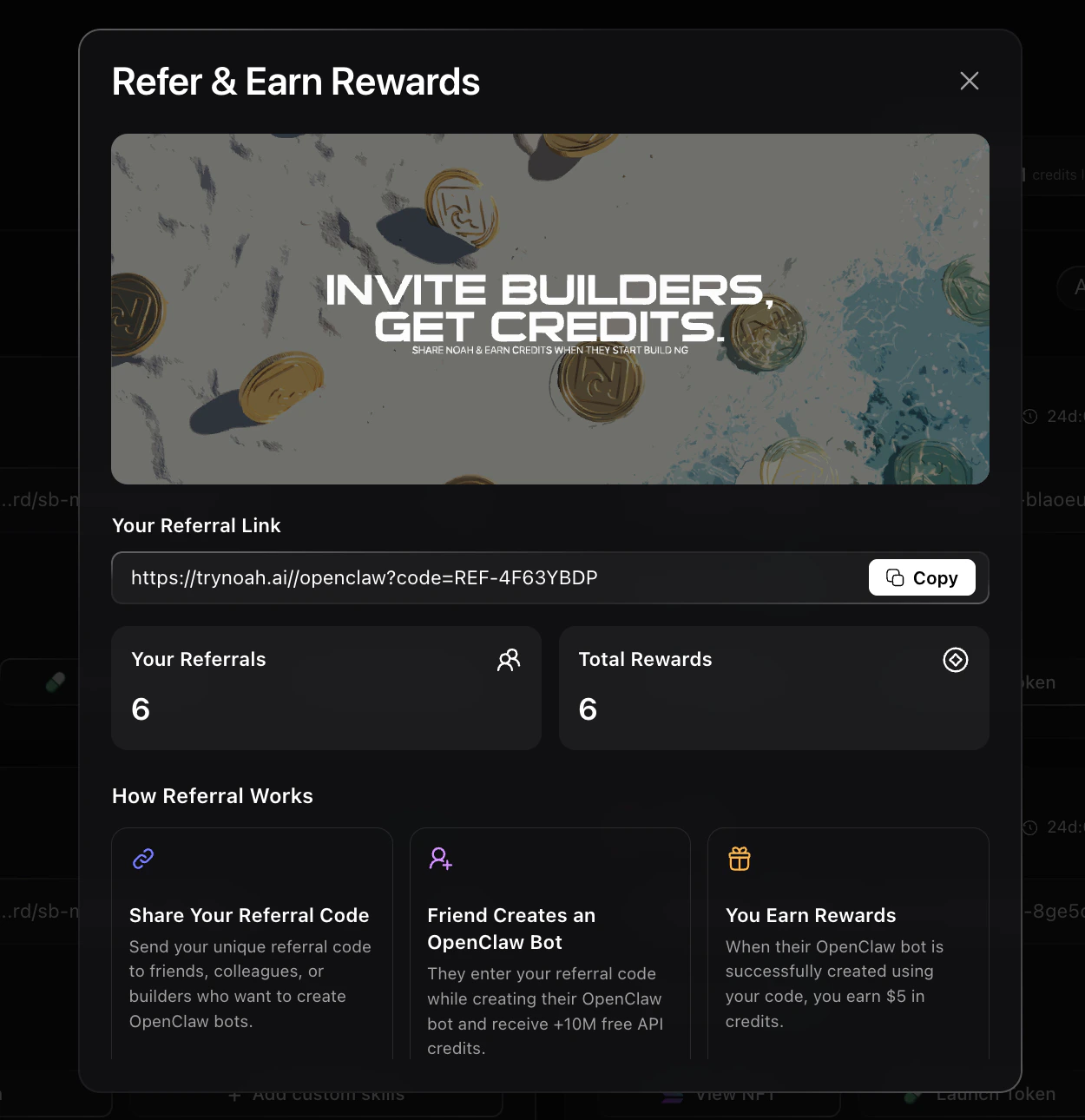
- Share Your Referral Code — Copy your unique referral link
- Friend Creates an OpenClaw Bot — They use your code during signup
- You Earn Rewards — Credits are added to your balance