

- Convert text into high-quality synthesized speech
- Transcribe recorded audio into text
- Build voice assistants that read chats or responses aloud
- Offer narrated content (stories, articles, briefings, lessons)
- Improve accessibility with hands-free, audio-first experiences
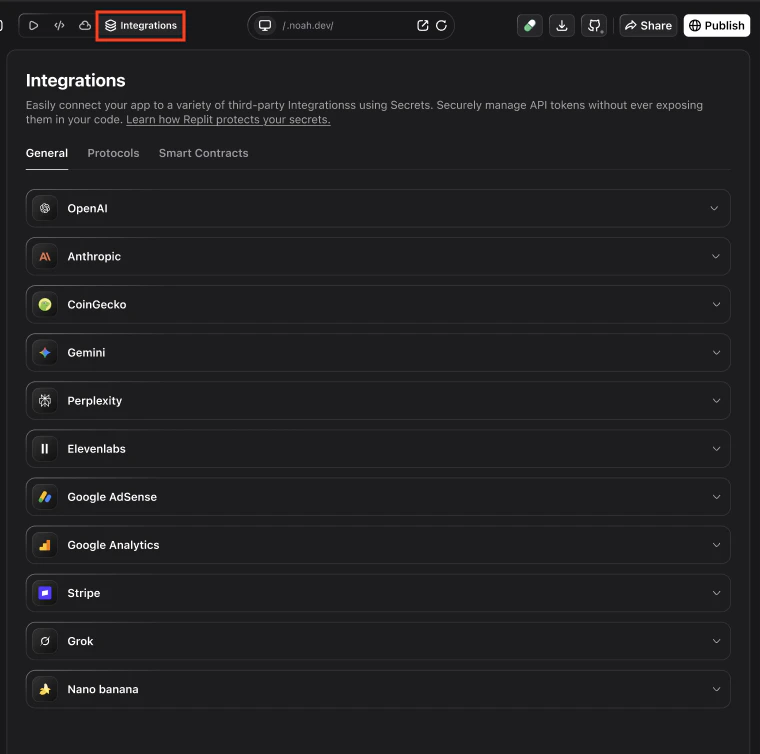
Common use cases and example apps
| Example app | Description |
|---|---|
| Voice-enabled assistant | Accept user input (text or voice), generate a response, and play it back using a natural ElevenLabs voice. |
| Daily audio briefings | Compile metrics or summaries each morning and deliver them as narrated audio inside your Noah app. |
| Narrated content / podcasts | Turn written content (stories, articles, updates) into narrated audio episodes users can listen to on demand. |
| Learning & instruction | Read lessons, explanations, or exercises aloud to support audio-first learning and guidance. |
| Guided wellness / fitness | Deliver spoken prompts and instructions for routines, workouts, or mindfulness sessions. |
| Accessibility features | Read on-screen content aloud for users who prefer or require audio instead of text-only interfaces. |
How ElevenLabs works in Noah
Under the hood, the ElevenLabs integration in Noah typically uses:- Supabase Edge Functions (or a similar serverless backend) to call ElevenLabs APIs for:
- Text-to-Speech (
/elevenlabs-tts) - Speech-to-Text (
/elevenlabs-transcribe)
- Text-to-Speech (
- Frontend helpers that call those functions from your app:
- A TTS helper that returns an audio URL
- An STT helper that sends recorded audio and returns text
- An optional voice assistant hook that reads chat messages aloud using ElevenLabs voices.
Prerequisites
Before you connect ElevenLabs in Noah, make sure you have:- An ElevenLabs account and API key
- Supabase Cloud enabled for your Noah project
- Basic environment variables set up for Supabase and ElevenLabs
.env):
Step 1: Create an ElevenLabs account and API key
To create an ElevenLabs API key:- Go to ElevenLabs and sign up or log in.
- In Developers → API keys, click Create Key.
- Give the key a descriptive name, for example
Noah integration. - (Recommended) Turn on Restrict Key, set a credit limit, and choose which features the key can use.
- Copy the generated API key and keep it somewhere safe.
Your ElevenLabs API key works like a password. Keep it secret and never commit it to your repo or paste it into public places.
Step 2: Add your ElevenLabs API key in Noah
Next, store the key securely in your Noah project:Open your project settings
- In Noah, open your project.
- Go to Settings (or the Environment / Secrets section).
Add ELEVENLABS_API_KEY
- Create a new secret named
ELEVENLABS_API_KEY. - Paste your ElevenLabs API key value.
- Save changes so backend functions can read this value at runtime.
Backend: Edge Functions for TTS and STT
The ElevenLabs integration template uses two Supabase Edge Functions:supabase/functions/elevenlabs-tts– calls ElevenLabs Text-to-Speech API and returns audio.supabase/functions/elevenlabs-transcribe– calls ElevenLabs Speech-to-Text API and returns transcription.
- Reads
ELEVENLABS_API_KEYfrom the environment. - Validates input (text for TTS, audio file for STT).
- Calls the appropriate ElevenLabs endpoint.
- Returns audio (
audio/mpeg) or JSON transcription. - Applies CORS headers so you can call it from your Noah app.
Frontend helpers and voice assistant
On the frontend, the template exposes small helpers that talk to those functions.- Text-to-Speech helper (conceptually):
- Sends
{ text, voiceId }to the TTS Edge Function. - Receives an audio blob and returns a
blob:URL you can play in an<audio>element.
- Sends
- Speech-to-Text helper:
- Uploads an audio
BlobviaFormDatato the STT Edge Function. - Receives JSON with a
textfield containing the transcription.
- Uploads an audio
- Voice assistant hook:
- Accepts a list of messages (user / assistant).
- Uses the TTS helper to read them out loud in sequence.
- Exposes controls like
isReadingandstopReading.
Voice IDs
Here are some example ElevenLabs voices you can use as defaults:| Voice | ID |
|---|---|
| George (default) | JBFqnCBsd6RMkjVDRZzb |
| Rachel | 21m00Tcm4TlvDq8ikWAM |
| Adam | pNInz6obpgDQGcFmaJgB |
| Bella | EXAVITQu4vr4xnSDxMaL |
Tips and troubleshooting
I see ELEVENLABS_API_KEY not configured errors
I see ELEVENLABS_API_KEY not configured errors
- Double-check that
ELEVENLABS_API_KEYis set in your Noah project secrets.\ - Redeploy or restart any Edge Functions so they pick up the latest environment values.
Audio playback is slow or fails
Audio playback is slow or fails
- Verify your network and that the ElevenLabs API is reachable from your environment.\
- Check Supabase Edge Function logs for errors calling the ElevenLabs API.\
- Make sure the requested voice ID and model are valid in your ElevenLabs account.
Transcription fails or returns empty text
Transcription fails or returns empty text
- Confirm that you are sending an audio file (
Blob) with valid content and a supported format.\ - Check the ElevenLabs STT model configuration and quotas in your account.
How do I control costs and limits?
How do I control costs and limits?
- In ElevenLabs, configure credit limits and key restrictions for the API key used by Noah.\
- Use separate API keys for development and production environments where appropriate.