Step 1: Find the Bot
Open Telegram and search for @NoahAIClawBot. You’ll see Noah AI OpenClaw Launcher in the results — tap to open it.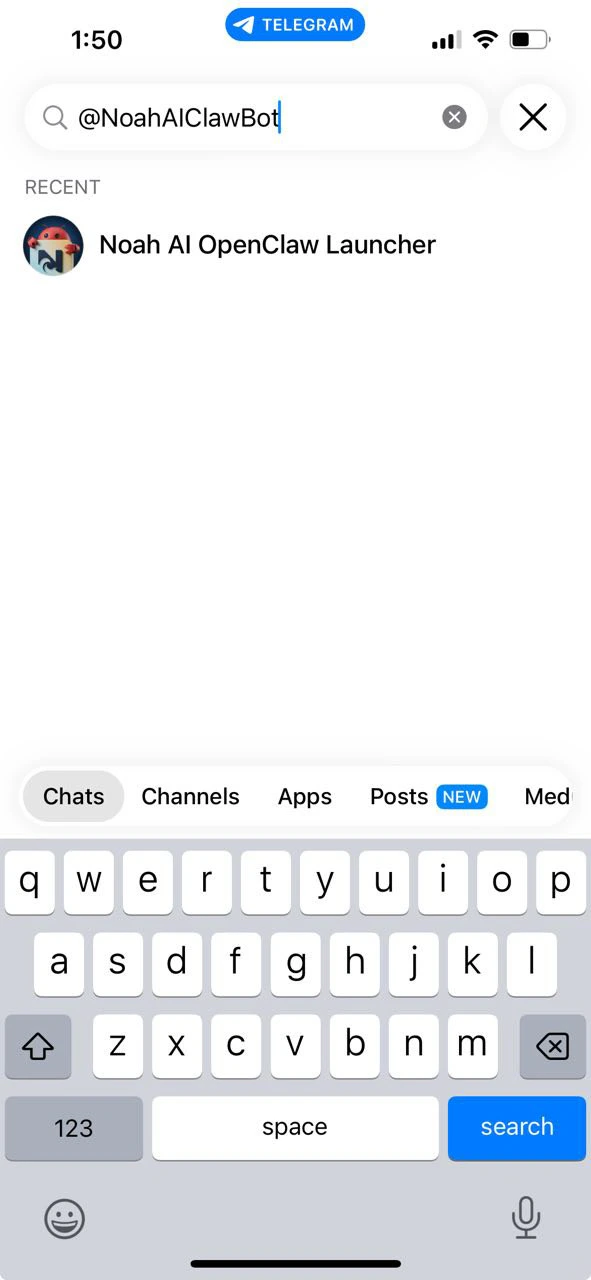
Step 2: Start the Launcher Bot
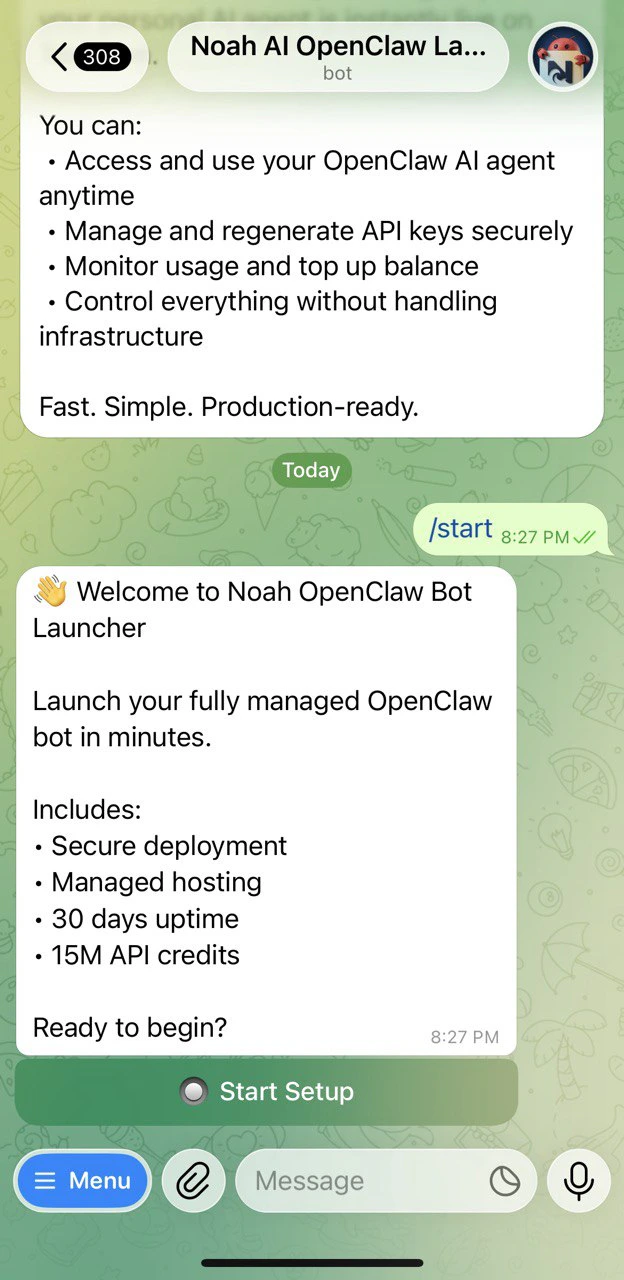
Send/start to the bot. You’ll see a welcome message with what’s included:
- Secure deployment
- Managed hosting
- 30 days of uptime
- 15M API credits
Step 3: Complete Payment
Tap Continue to Secure Payment to proceed. Once payment is confirmed, you’ll see a success message and the bot will ask you to connect your Telegram bot token.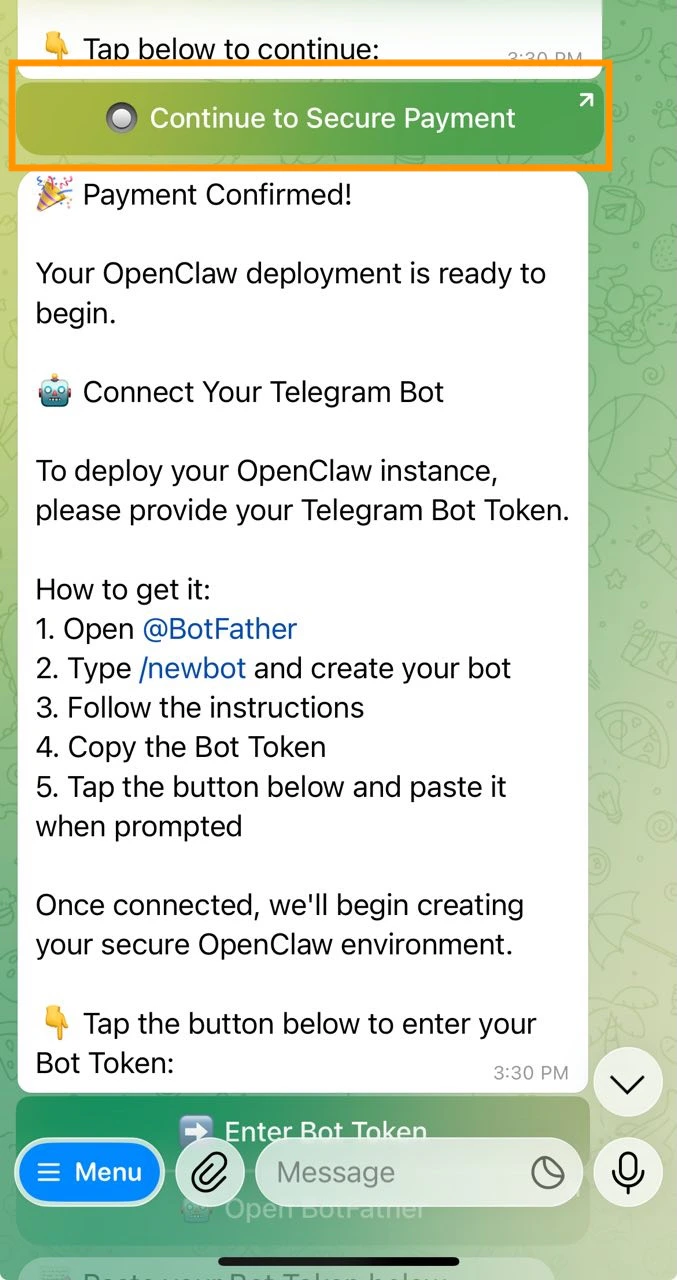
Step 4: Connect Your Telegram Bot Token
You’ll need a Bot Token from BotFather to connect your own bot.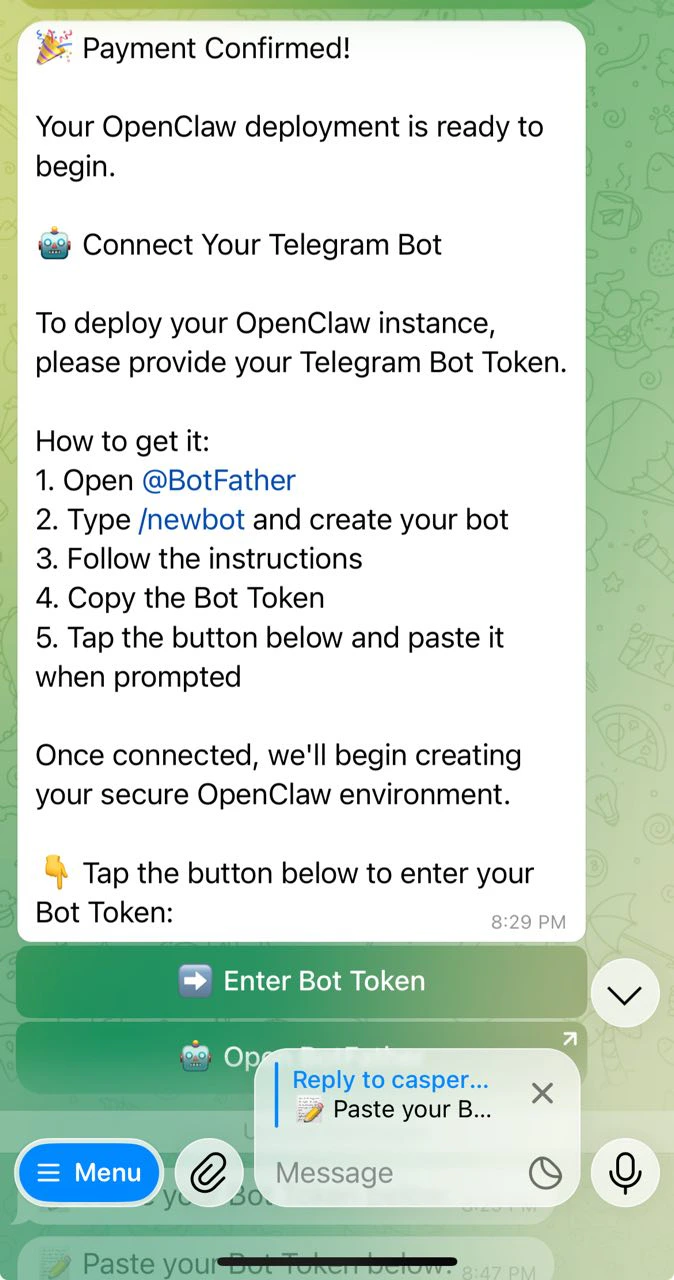
- Open Telegram and go to @BotFather
- Type
/newbotand create your bot - Follow the instructions to name it and choose a username
- Copy the Bot Token that BotFather gives you
- Tap Enter Bot Token and paste it when prompted
Step 5: Activate and Deploy
After pasting your token, the bot is verified and connected. You’ll see a confirmation message. To activate your OpenClaw bot, tap Pay & Deploy my bot. Deployment starts automatically after payment and takes just a few minutes.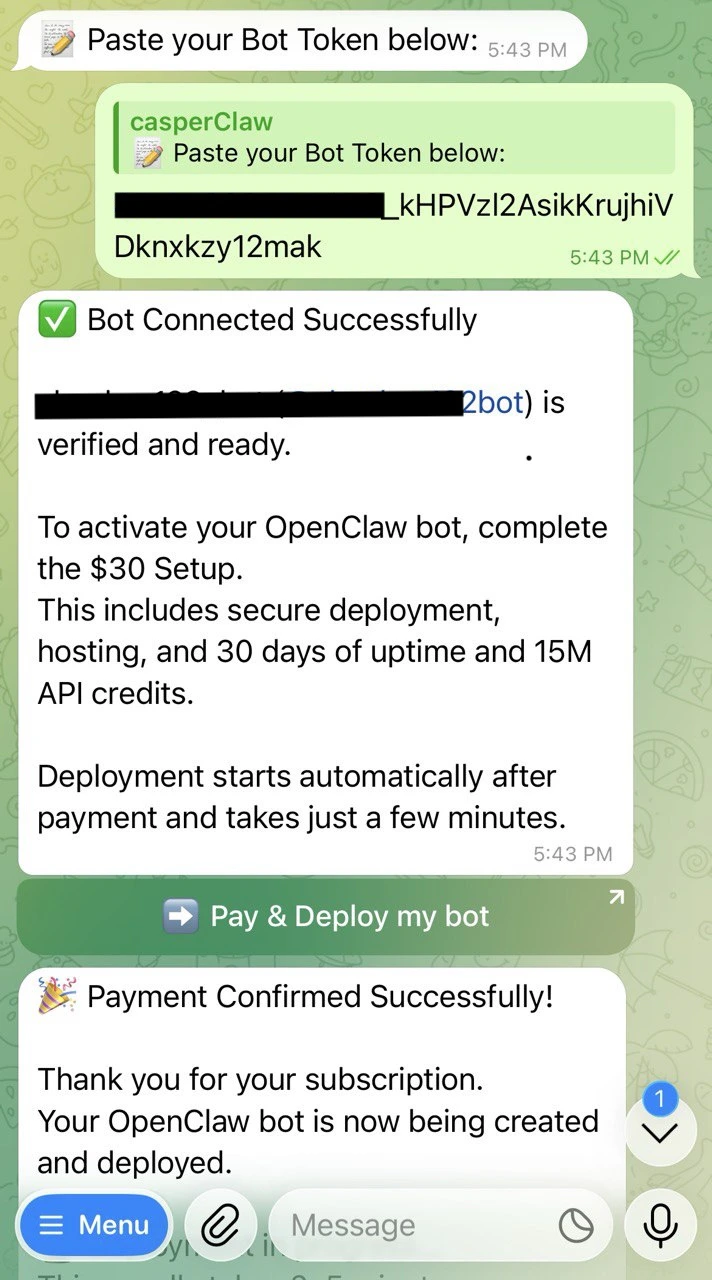
Step 6: Bot Goes Live
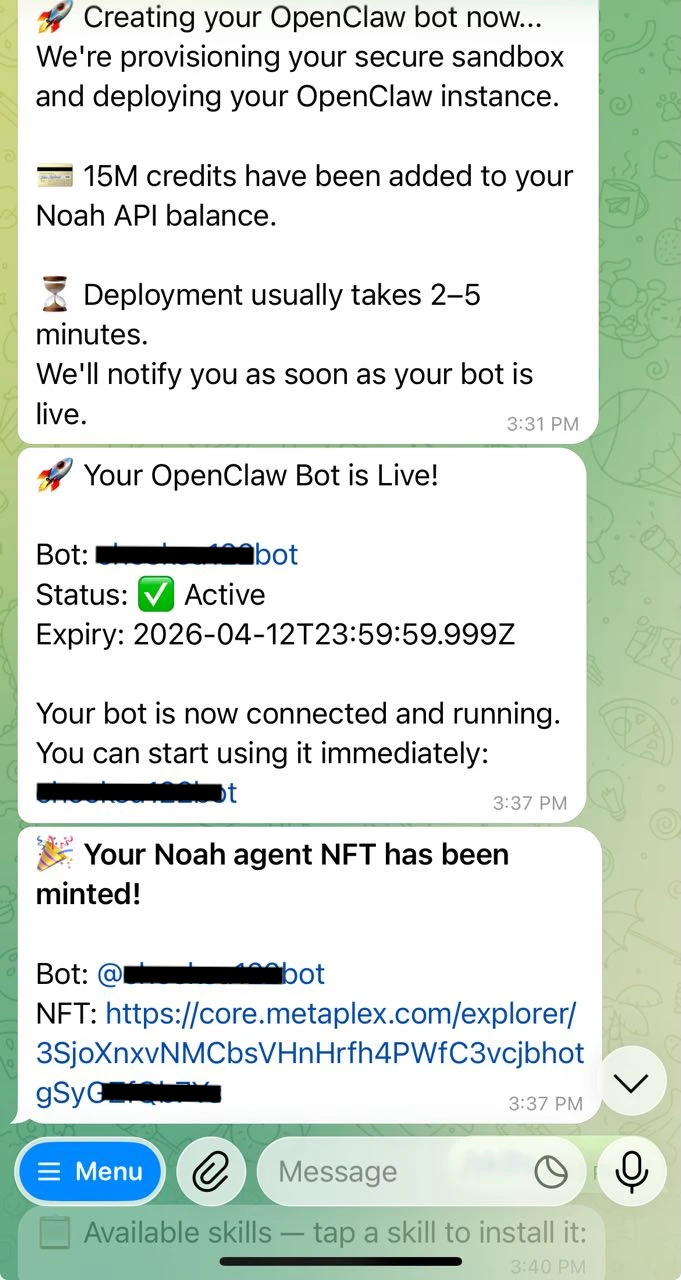
Once deployment is complete, your OpenClaw bot is live. You’ll receive confirmation with your bot’s status and expiry date. After launch, you also receive a unique Noah agent NFT minted on Solana — viewable on Metaplex Explorer.